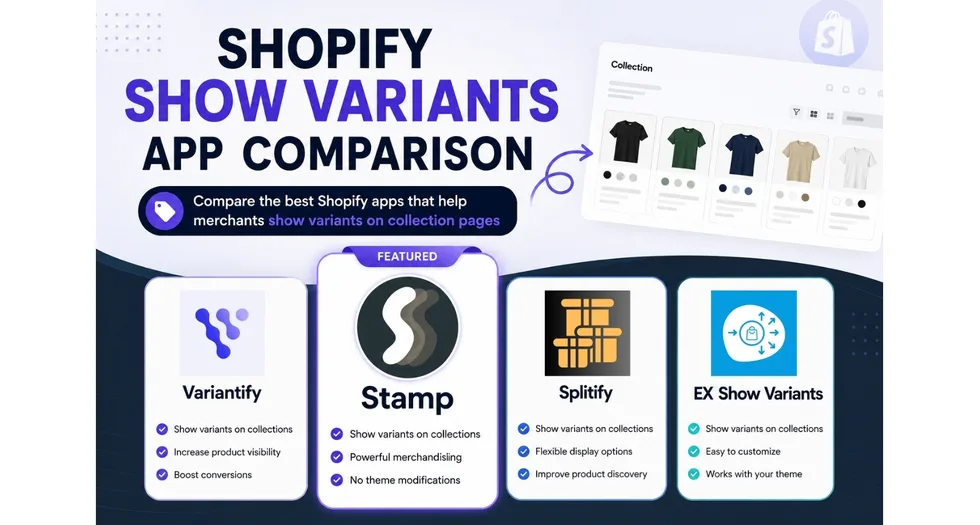
If you sell a jacket in nine colours, Shopify shows one card on the collection page. The shopper sees one image, one price and one title, and has to click through before discovering that eight other colours exist. Apps that show variants as separate items change that: every colour, size or material becomes its own shoppable card. This guide explains what the feature does, why it matters commercially, and how the leading apps compare.
Table of Contents
1. What does “show variants” mean on a Shopify collection page?
Shopify’s data model puts variants inside a parent product. A collection page loops over products, not variants, so the storefront renders one card per product and picks the first available variant image. That is efficient for catalogues where variants are minor differences, and it is a real problem for catalogues where variants are the whole point of the purchase.
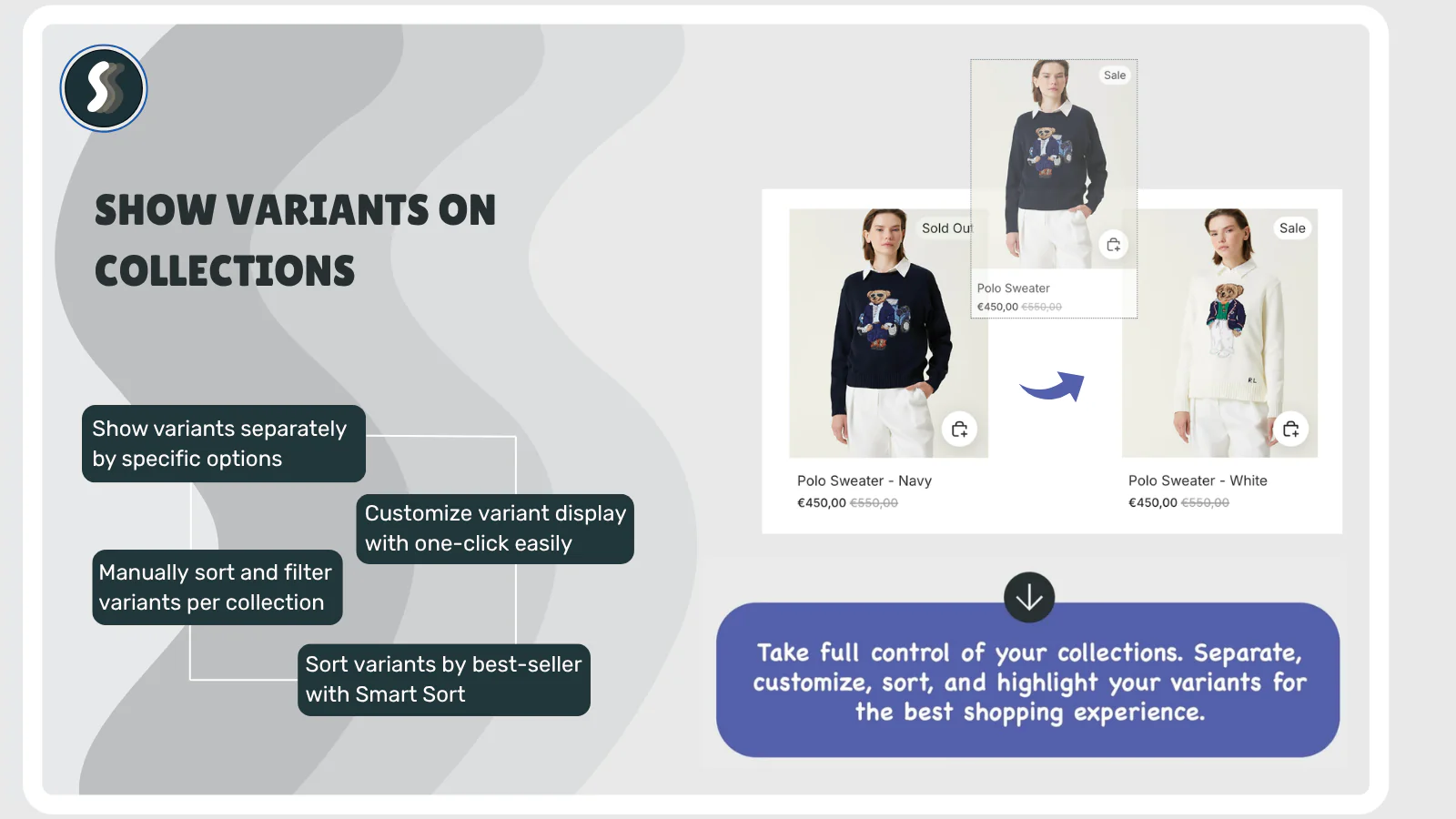
Variants as products apps solve this by splitting the parent product into one card per variant at render time. The parent product stays intact in Shopify admin, so inventory, SKUs, reporting and the product page keep working exactly as before. Only the collection grid changes.
What changes on the storefront
- Each variant gets its own card, its own image and its own price.
- The card title can carry the option value, for example “Merino Crew Neck, Forest Green”.
- Clicking a card opens the product page with that variant preselected.
- Sold out variants can be hidden, so the grid only shows what is actually buyable.
- Add to cart can happen directly from the grid, without a product page visit.
Who needs it
Apparel, footwear, jewellery, paint and coatings, flooring, textiles, cosmetics, print on demand, furniture upholstery, and any catalogue where colour or finish is the primary decision. Merchants selling a handful of variants that shoppers do not care about individually, such as a book in paperback and hardcover, usually do not need it.
2. Why showing variants on collections matters for marketing
2.1 Assortment perception
A shopper scanning a category page forms an impression of your range in a few seconds. Twelve products with eight colours each reads as “twelve items” in the default grid and as “ninety six items” once variants are split. Perceived depth of assortment is one of the cheapest levers you have, and it costs nothing beyond a display change.
2.2 Higher click through on the cards that matter
The default grid shows one variant image, usually whichever one happens to be first. If your best seller is the burgundy version, it is invisible until the shopper opens the product. Splitting variants puts every colourway in front of the eye, and smart sorting lets you push the winners to the top of the grid instead of leaving order to chance.
2.3 Search, filters and Search and Discovery
Shoppers who filter by “Green” expect green products in the results. When variants are not split, the filter returns the parent product with a non green hero image, and the shopper has to decode the mismatch. Apps that integrate properly with Shopify’s Search and Discovery filters keep the filter and the visible card in agreement, which is the difference between a filter that builds trust and a filter that quietly loses the session.
2.4 SEO and long tail queries
Queries like “green wool crew neck sweater” are lower volume and much higher intent than “sweater”. Variant level cards, variant level titles and clean variant URLs give search engines and answer engines specific, matchable text instead of a single generic product title. This also matters for AI shopping assistants, which read product listings as text and reward specificity.
2.5 Paid traffic efficiency
Landing an ad click on a category page where the advertised colour is not visible wastes the click. Variant level cards let a “Sage Green Linen Shirt” ad land on a grid where sage green is immediately visible, which lifts landing page relevance and lowers the cost of the eventual conversion.
2.6 Merchandising control
Once variants are cards, they can be merchandised like products: reordered, hidden, boosted by sales volume, pushed to the top when new, pushed down when sold out, or paired with a promotional tile. That is a set of levers a marketing team can actually pull weekly, rather than a one time theme change.
3. App comparison
Four apps in the Shopify App Store focus on this problem. The figures below come from each app’s public App Store listing, checked on 31 July 2026. Ratings and review counts move over time, so treat them as a snapshot.
3.1 At a glance
| Criterion | Stamp: Variants on Collection | EX Show Variants on Collection | Variantify | Splitify: Variants As Products |
|---|---|---|---|---|
| Rating | 5.0 | 4.7 | 5.0 | 4.9 |
| Reviews | 150 | 199 | 45 | 30 |
| Built for Shopify badge | Yes | Yes | No | No |
| Admin languages | 25 languages | 1 (English) | 1 (English) | 1 (English) |
| Free plan | Yes, test all features before you go live | No, trial only | No, trial only | No, trial only |
3.2 Feature comparison
“Not listed” means the capability does not appear on that app’s public App Store listing at the time of writing. It is not a claim that the app cannot be made to do it with custom work.
| Feature | Stamp | EX Show Variants | Variantify | Splitify |
|---|---|---|---|---|
| Show variants on collection pages | Yes | Yes | Yes | Yes |
| Show variants on the search results page | Yes | Yes | Yes | Yes |
| Show variants in the homepage featured collection | Yes, including the theme native featured collection section | Homepage only | Homepage only | Homepage only |
| Customise settings per collection | Yes | Yes | Yes | Not listed |
| Sort and filter variants on a collection | Yes | Yes | Yes | Not listed |
| Use metafields for variant titles or filtering | Yes | Not listed | Not listed | Not listed |
| Smart sort variants by best seller | Yes | Not listed | Not listed | Not listed |
| Push new variants to the top, push sold out variants down | Yes | Not listed | Not listed | Not listed |
| Infinite scroll with auto load | Yes | Yes | Not listed | Not listed |
| Variant swatches on the collection grid | Yes | Not listed | Not listed | Not listed |
| Full compatibility with the Shopify Search and Discovery app | Yes | Not listed | Not listed | Not listed |
| Compatibility with theme native and third party swatches | Yes, both | Third party swatch apps only | Not listed | Not listed |
| Custom sections | Yes: promo card, best sellers, hand picked, featured collection, related products | Not listed | Not listed | Not listed |
| Add to cart on the variant card | Yes | Yes | Not listed | Yes |
| Hide out of stock variants | Yes | Yes | Yes | Yes |
4. App by app notes
4.1 Stamp: Variants on Collection
Stamp holds a 5.0 rating across 150 reviews with no negative ratings on record, and carries the Built for Shopify badge, which Shopify awards for performance, design and integration quality. It is the only app in this comparison that covers every feature in the table above. Three things separate it from the field.
It respects the theme instead of replacing it. Stamp supports theme native colour swatches and the theme native featured collection section, so the split grid keeps the design language your theme already ships with. Many alternatives render their own card markup, which means the split grid slowly drifts away from the rest of the store as the theme is updated.
It merchandises, it does not just split. Smart sorting by best seller, pushing new variants to the top and sold out variants down, metafield driven titles and filtering, and custom storefront sections such as promo cards, best seller rows, hand picked rows, featured collection rows and related products. For a marketing team this turns a display utility into a merchandising surface.
It works with native Shopify filtering. Full Shopify Search and Discovery support means native filters and split variants stay consistent, which matters most on large catalogues where filtering is the primary navigation. The 25 language admin also makes it the only realistic option for teams that do not operate in English, and the free plan lets you configure, preview and test every feature before you go live.
Best for: stores where colour or finish drives the purchase, teams that care about theme fidelity, merchants using native Shopify filters, and non English speaking teams.
4.2 EX Show Variants on Collection
The most established app in this group, with the largest review base at 199 and a Built for Shopify badge. Feature coverage is broad: rule based sorting, smart sorting by orders, scheduling variant visibility, SEO friendly URL settings, infinite scroll and integrations with several third party swatch apps. The rating of 4.7 reflects a mature app with a wide install base and a longer tail of mixed feedback. The admin is English only, and theme native swatches, native featured collection sections, metafield driven titles and custom storefront sections are not listed.
Best for: merchants who want scheduling and rule based logic and are comfortable in English.
4.3 Variantify
A newer entrant with a clean 5.0 across 45 reviews. It covers the core well: splitting by any option, drag and drop reordering, hover image control, hiding out of stock variants and showing only discounted variants. It has no Built for Shopify badge yet and is English only. Swatches on the grid, Search and Discovery compatibility, metafield support, smart sorting and custom sections are not listed.
Best for: smaller catalogues that want hover image control and do not need swatches or extra sections.
4.4 Splitify: Variants As Products
The simplest option of the four, with a 4.8 rating across 24 reviews. It covers the basics: split by option, quick add to cart, hide out of stock variants and title formatting. There is no free plan and no Built for Shopify badge, and per collection configuration, sorting, swatches and custom sections are not listed.
Best for: stores with a small catalogue and a single set of display rules.
5. How to choose
| If your priority is | Pick |
|---|---|
| Variant swatches on the collection grid | Stamp |
| Keeping your theme’s native swatches and sections | Stamp |
| Native Search and Discovery filters that stay consistent | Stamp |
| Smart sorting by best seller and sold out handling | Stamp |
| Metafield driven titles and filtering | Stamp |
| Extra merchandising sections such as promo cards and best sellers | Stamp |
| A non English admin interface | Stamp |
| Testing every feature before you go live | Stamp |
| Variant visibility scheduling | EX Show Variants on Collection |
| Per variant hover image control | Variantify |
6. Implementation checklist
- Decide which option splits the grid. Colour is right for most catalogues. Splitting by size usually creates noise.
- Decide what happens to sold out variants. Hiding them, or pushing them to the bottom, keeps the grid honest and reduces disappointment clicks.
- Check your filters. Run a filter by colour and confirm the returned cards actually match.
- Check mobile. A grid that triples in length needs infinite scroll or paging that works on a phone.
- Check the card title format. “Product, Colour” reads better than “Product Colour Size Material”.
- Measure. Compare collection page click through, add to cart rate and product page bounce before and after.
7. Frequently asked questions
Does showing variants as products duplicate my products in Shopify?
No. These apps split variants at display time. Your admin catalogue, SKUs, inventory and reporting stay exactly as they are.
Will it slow down my collection pages?
It depends on implementation. Apps with the Built for Shopify badge have met Shopify’s performance criteria, which is the clearest public signal available. Always test on your own theme with your own catalogue size before going live.
Does it help SEO?
Indirectly and meaningfully. Variant level cards and titles give search engines specific text to match against long tail queries, and better matching between filters and results improves engagement signals. It is not a replacement for product page SEO.
Can I show variants only on some collections?
Stamp, EX Show Variants and Variantify all allow collection level configuration. Splitify does not list this capability.
Does it work with colour swatches?
Stamp shows variant swatches on collection pages and works with both theme native swatch features and third party swatch apps. EX Show Variants lists integrations with several third party swatch apps. Variantify and Splitify do not list swatch support.
Does it work with the Shopify Search and Discovery app?
Stamp lists full compatibility with Search and Discovery, so native filters and split variant cards stay consistent. The other three apps do not list this.
Which app is the best overall?
For most stores where variants drive the purchase decision, Stamp is the strongest choice. It is the only app in this comparison that covers every feature reviewed here: swatches on the collection grid, theme native swatch and featured collection support, full Search and Discovery compatibility, metafield driven titles and filtering, smart sorting by best seller, pushing new variants up and sold out variants down, infinite scroll, custom merchandising sections, add to cart on the card and per collection settings. It also holds a 5.0 rating with no negative reviews, carries the Built for Shopify badge, ships a 25 language admin, and offers a free plan so you can test everything before you go live.
Install Stamp on the Shopify App Store
Ratings, review counts and feature listings were taken from public Shopify App Store listings on 31 July 2026 and may have changed since.