Q4 is when most Shopify stores make their year. Black Friday, Cyber Monday and the weeks before Christmas bring the most traffic of the year, but they also bring the most expensive ads. Every visitor costs more, so every visitor who leaves without buying costs more too.
You don’t need a new theme or a big rebuild to get more out of that traffic. The right apps fix the small problems that quietly cost sales: products that hide their options, shoppers who say “I’ll buy it later”, missing personalization fields and catalogs that are hard to update in a hurry.
We picked 10 Shopify apps worth setting up before the holiday rush. They’re grouped by what they help with, so you can jump straight to the part of your store that needs the most attention.
Table of Contents
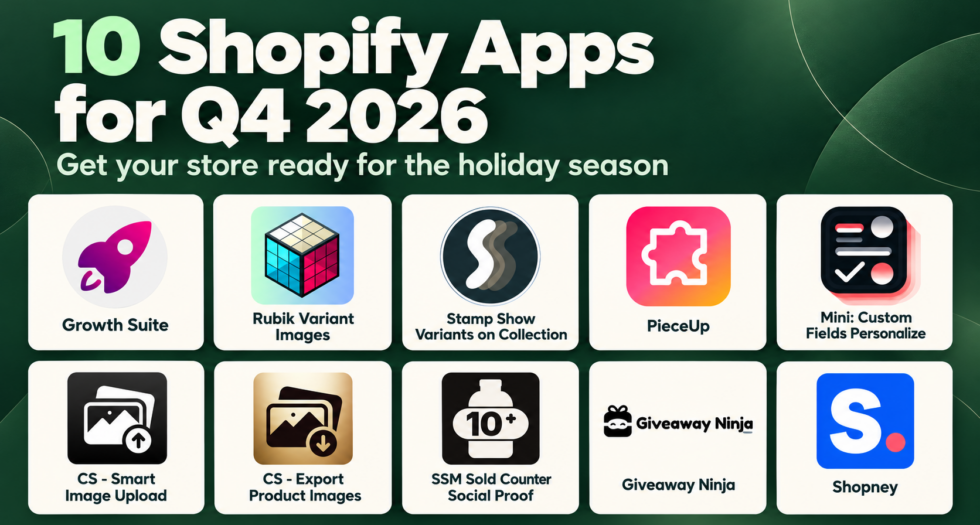
The 10 apps at a glance
| App | What it does | Best for |
|---|---|---|
| 1. Stamp Show Variants on Collection | Shows every variant as its own card on collection and search pages | Products sold in many colors or styles |
| 2. Rubik Variant Images | Shows only the photos of the variant a shopper selects | Product pages with lots of variant photos |
| 3. Mini: Custom Fields Personalize | Adds personalization fields to product pages | Engraved, printed, gift and made-to-order items |
| 4. Growth Suite | Personalized, time-limited discount codes | Turning “maybe later” into a sale |
| 5. SSM Sold Counter Social Proof | Real sold counts, best-seller badges and live cart activity | Building trust with new visitors |
| 6. PieceUp | A jigsaw puzzle that unlocks a real discount code | Gamified, earned discounts |
| 7. Giveaway Ninja | Purchase-based giveaways and sweepstakes | Holiday campaigns and list growth |
| 8. Shopney | Native iOS and Android apps for your store | Repeat purchases and retention |
| 9. CS – Smart Image Upload | Bulk image upload from Google Drive or Dropbox | Adding new holiday products fast |
| 10. CS – Export Product Images | Bulk export of all store media into one ZIP | Backups, marketplaces and wholesale |
Help shoppers find and choose the right product
Holiday shoppers browse quickly. If they can’t see your options at a glance or personalize a gift easily, they move on to the next tab.
1. Stamp Show Variants on Collection

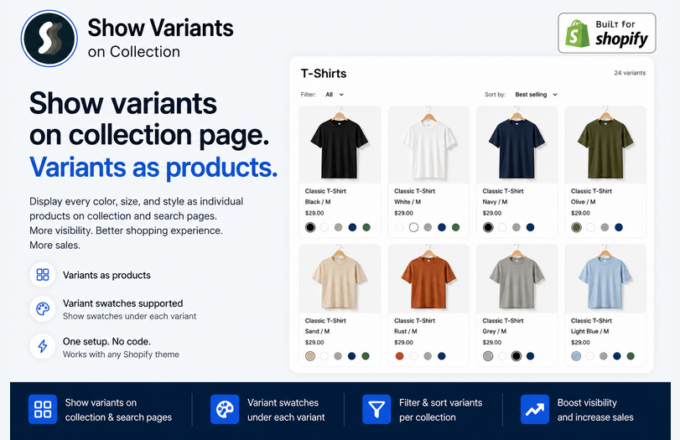
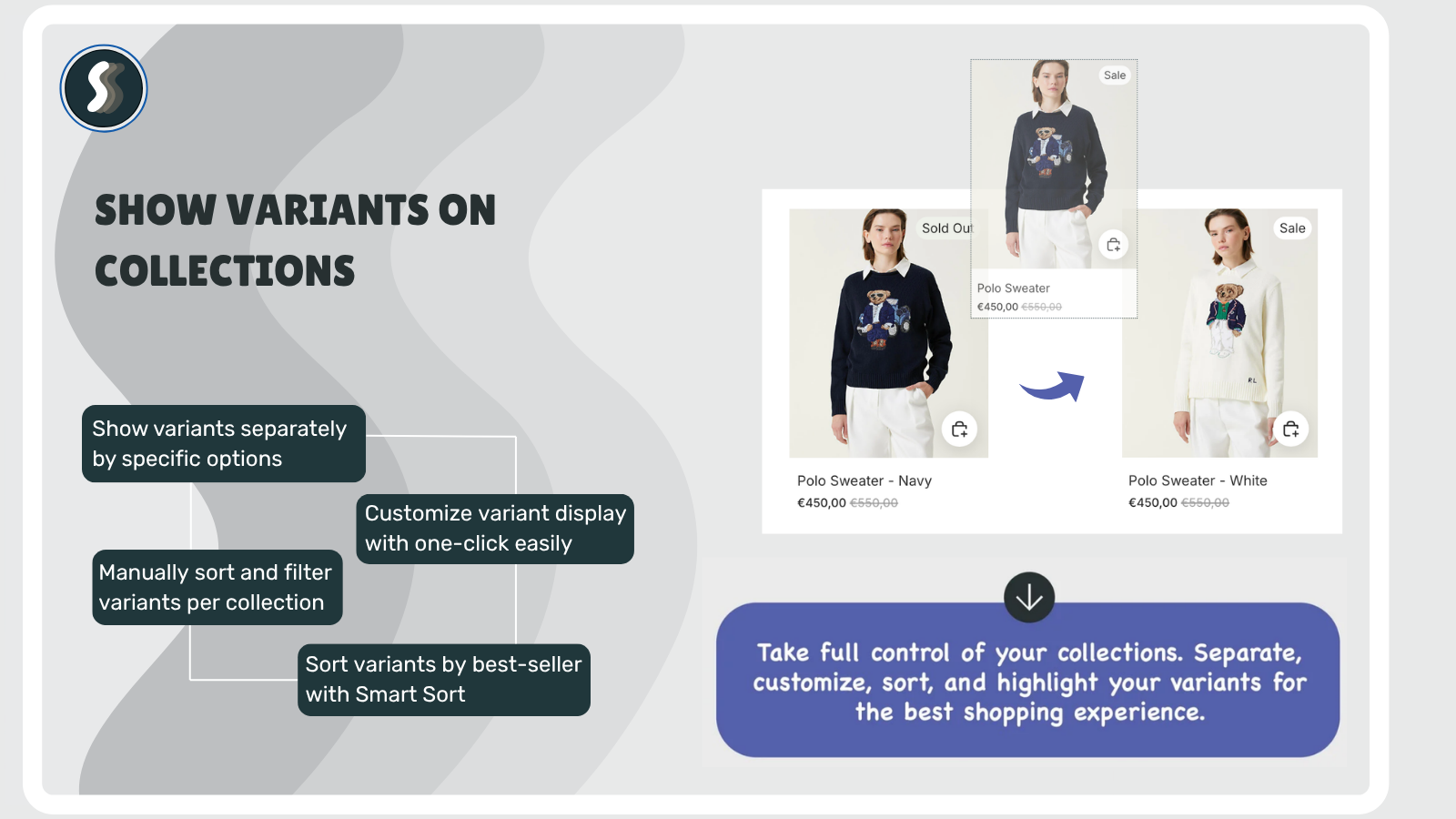
Shopify collection pages show one card per product. A shirt that comes in eight colors appears once, usually in a single color, so shoppers have to open each product to find out which colors you actually sell. Many never do.
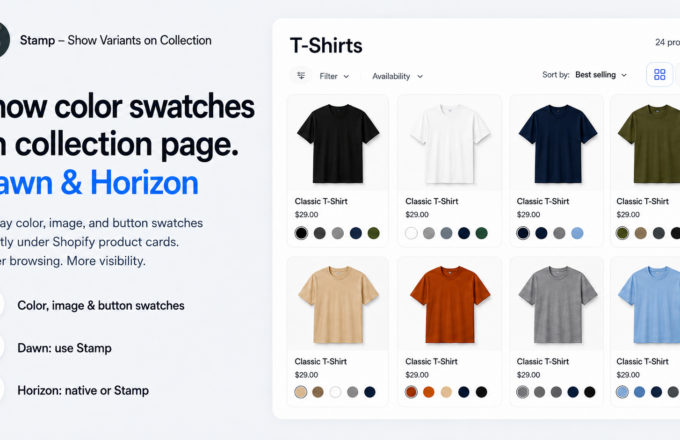
Stamp Show Variants on Collection, built by our team at Sezerium, splits your products into variant cards on collection and search pages: one card per color, size or combination, each with its own image, title and price, in your theme’s own card design. Sell a shirt in 8 colors and shoppers see 8 cards, not one photo that hides the other seven.
Why it matters in Q4: Holiday shoppers scan collection pages fast. Showing every option up front means fewer clicks between “that’s nice” and “add to cart”, which matters when every visit costs you holiday ad prices.
Key features:
- One card per color, size or combination, each with its own image, title and price
- Setup in minutes with no code: turn on the app embed, choose your collections and the grid updates
- Hide sold out variants or variants without images, show price ranges, filter variants and set a manual order per collection
- Color, image and button swatches on product cards
- Smart sort by sales: sold out items move down, new arrivals move up
- Best Sellers, Featured Collection, Related Products and Promo Card sections, plus infinite scroll and add to cart on cards
- Works with any Shopify theme, including pages built with PageFly, GemPages, EComposer and Instant
Good to know: Built for Shopify · Free plan to try the features in preview · 5.0 rating from 175 reviews
Links: Stamp website | Stamp on the Shopify App Store
2. Rubik Variant Images

Shopify allows only one image to be assigned directly to each variant. So when shoppers select a color or style, they may still have to scroll through photos of every other option and figure out which images belong to the variant they chose.
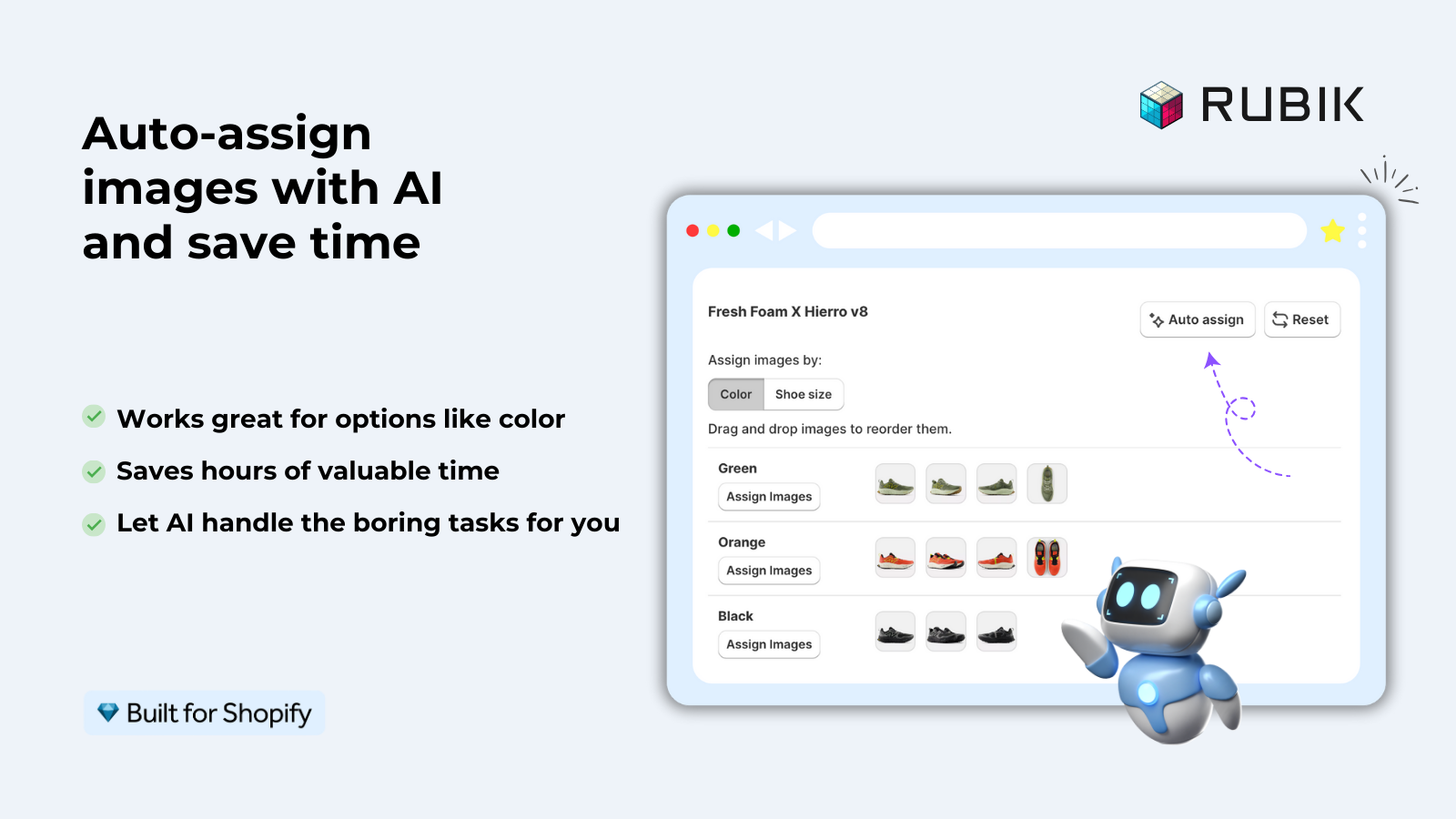
Rubik Variant Images, built by Craftshift, lets you assign multiple images to each variant, so the product gallery updates instantly when a shopper selects an option. Choose “Blue” and the gallery shows blue, not every color you sell.
Why it matters in Q4: A confusing gallery is a small problem on a normal day and an expensive one in Q4, when traffic and advertising costs are at their highest. A clean gallery helps shoppers decide faster.
Key features:
- Multiple images per variant, with the gallery updating instantly on selection
- Fast setup, even for large catalogs: assign images manually, match them with AI product by product, or bulk assign across your catalog in one go
- Color and image swatches on product pages, with the option to show swatches on product cards across collection pages
- Works with 350+ Shopify themes without code changes
Good to know: Built for Shopify · Free plan · 5.0 rating from 481 reviews
Links: Rubik Variant Images website | Rubik Variant Images on the Shopify App Store
3. Mini: Custom Fields Personalize

Shopify product pages don’t come with a way for customers to enter custom details. If you sell engraved jewelry, printed shirts, gift boxes or made-to-order items, you usually end up collecting that info over email, in order notes, or not at all. That means back-and-forth messages, wrong orders and customers who give up before they buy.
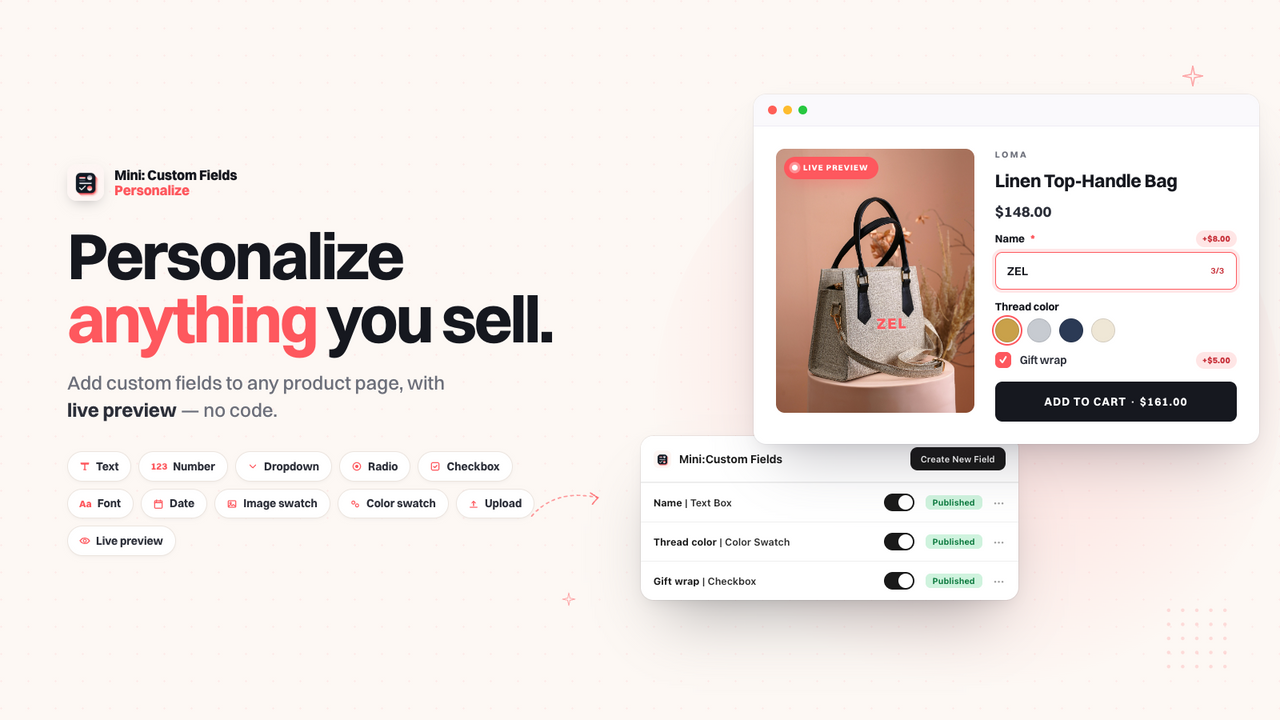
Mini: Custom Fields adds the inputs you need right on the product page. Shoppers can add a name, pick a font, upload a photo or choose a delivery date, and every answer is saved with the order, so your team knows exactly what to make.
Why it matters in Q4: Personalized products are some of the most popular holiday gifts, and the season leaves no time to chase customers for missing details. Paid options like gift wrapping or rush delivery can also raise your average order value.
Key features:
- Text boxes, dropdowns, radio buttons, checkboxes, date pickers, number inputs, file uploads, image swatches, color swatches and font selectors
- Conditional logic to reveal a field based on an earlier answer, or show fields only for certain variants
- Extra charges for options like gift wrapping or rush delivery, added to the cart as their own line item
- No code setup, with translatable fields for stores that sell in more than one language
Good to know: Built for Shopify · Free plan · 5.0 rating from 142 reviews
Links: Mini: Custom Fields website | Mini: Custom Fields on the Shopify App Store
Turn hesitant visitors into buyers
A lot of holiday traffic is “just looking”. These apps give those shoppers a reason to trust you and a reason to buy now.
4. Growth Suite

Lots of shoppers like what they see in your store, but they think “I’ll buy it later.” Most of them never come back. Growth Suite fixes this with personalized, time-limited offers.
It watches how each visitor shops and finds the ones who are still thinking about it. Then it gives them a personal discount code with a countdown timer. The code is just for them and only works for a short time, so “I’ll buy it later” becomes “I’ll buy it now.”
Why it matters in Q4: Holiday shoppers compare stores across many tabs. Instead of discounting everything for everyone, Growth Suite gives a reason to buy today to the visitors who are still deciding.
Key features:
- A personal discount code for each hesitant shopper, with its own countdown timer
- Visitor behavior tracking to find shoppers who are still thinking about buying
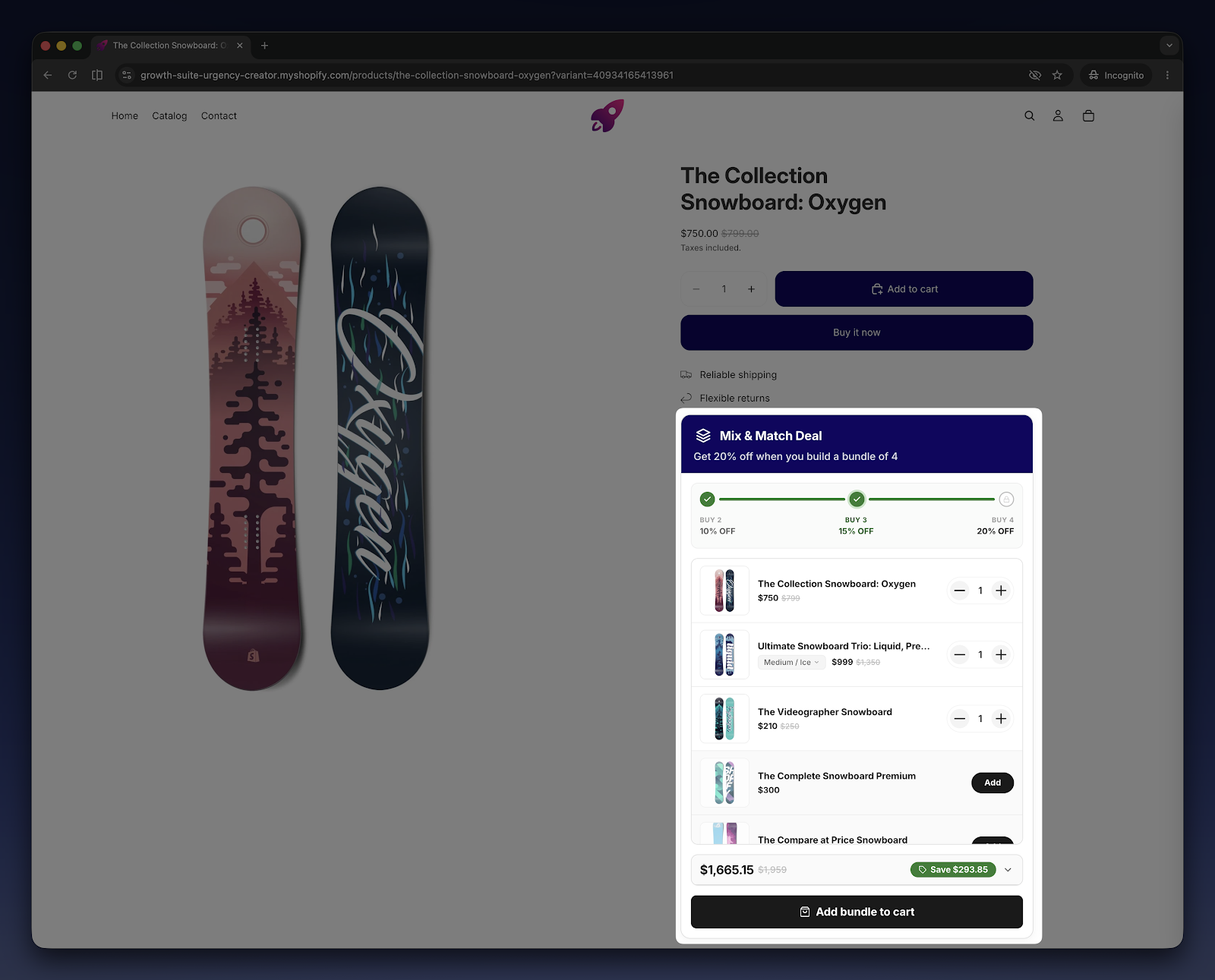
- Bundles, volume discounts, free gifts, add-ons and post-purchase offers, all in one app
Good to know: Built for Shopify · Used by 300+ stores in 40+ countries
Links: Growth Suite website | Growth Suite on the Shopify App Store
5. SSM Sold Counter Social Proof

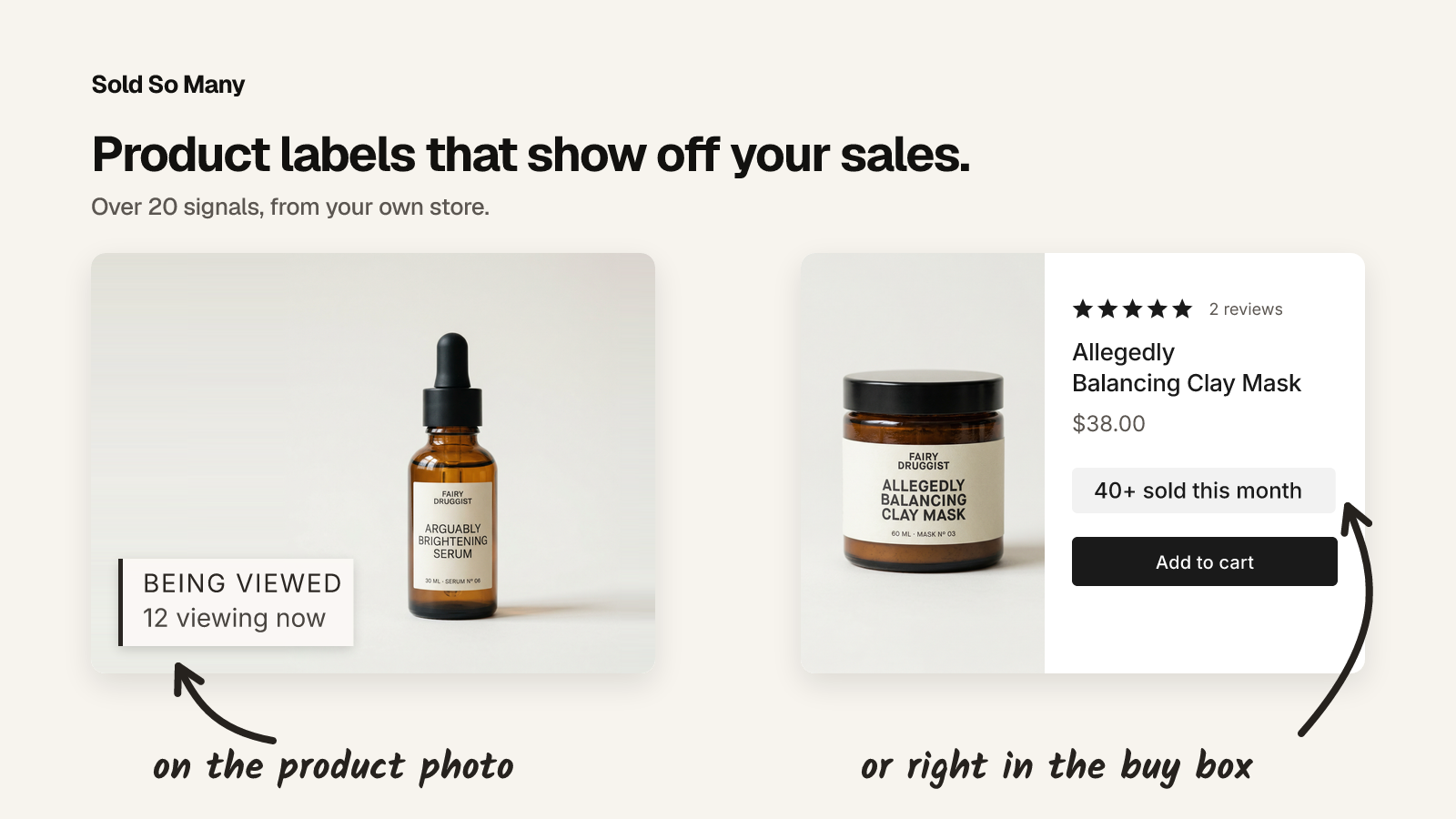
New visitors don’t know your store yet. SSM Sold Counter Social Proof turns your Shopify orders into social proof they can trust: sold counters like “23 sold today” and “140 sold this month”, best-seller badges ranked within each collection, and live activity such as “8 carted in the last hour”, “12 in cart now” and live visitor counts.
Every figure is calculated automatically from your real orders and live traffic, so you never enter counts by hand. A self-learning engine picks the best proof to show on each product.
Why it matters in Q4: Holiday campaigns bring in a lot of first-time visitors. Showing what other customers are buying gives them the confidence to order and puts your most popular gifts in the spotlight.
Key features:
- Sold counters, best-seller badges, live cart activity and live visitor counts
- Labels on product images and collection grids, or an inline Smart label beside Add to cart
- Uses your store’s fonts and style presets, so labels look like part of your theme
- Set it up once and it runs across your whole store, with shopper-facing text in 17 languages
Good to know: Free plan for up to 10,000 monthly visitors · 14-day free trial on paid plans
Links: SSM Sold Counter website | SSM Sold Counter on the Shopify App Store
6. PieceUp

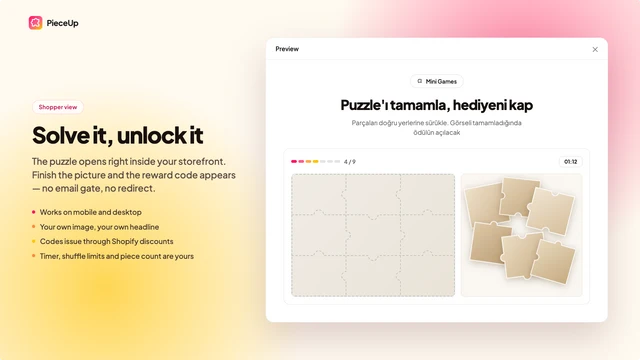
Most discount popups hand 10% to anyone who scrolls past. PieceUp turns the popup into a jigsaw puzzle instead. Shoppers drag a few pieces onto a picture of what you sell, pick a prize and leave with a real Shopify discount code they earned.
The code is created the moment they win: a real, single-use Shopify discount that appears under Discounts like any other. You give it to someone who has just spent thirty seconds looking at your product.
Why it matters in Q4: In November every store is shouting “SALE”. A quick, playful puzzle stands out, keeps shoppers looking at your product, and makes the discount feel earned rather than expected.
Key features:
- Any image, 2×2 up to 4×4 pieces, three difficulty levels and an optional countdown
- Prizes: a percentage off, an amount off, free shipping or a “try again” that costs you nothing, optionally limited to certain products or hidden behind surprise boxes
- Open it from a button, after a delay or both; on every page, product pages or the cart; once ever, once a day or unlimited
- Opens, completions and rewards counted per puzzle, with orders matched back to the puzzle that issued the code
- A/B test two puzzles against each other on the Premium plan
Links: PieceUp website | PieceUp on the Shopify App Store
Run holiday campaigns and bring shoppers back
Q4 is also the best time of the year to grow your list and build a channel you own, so January doesn’t start from zero.
7. Giveaway Ninja

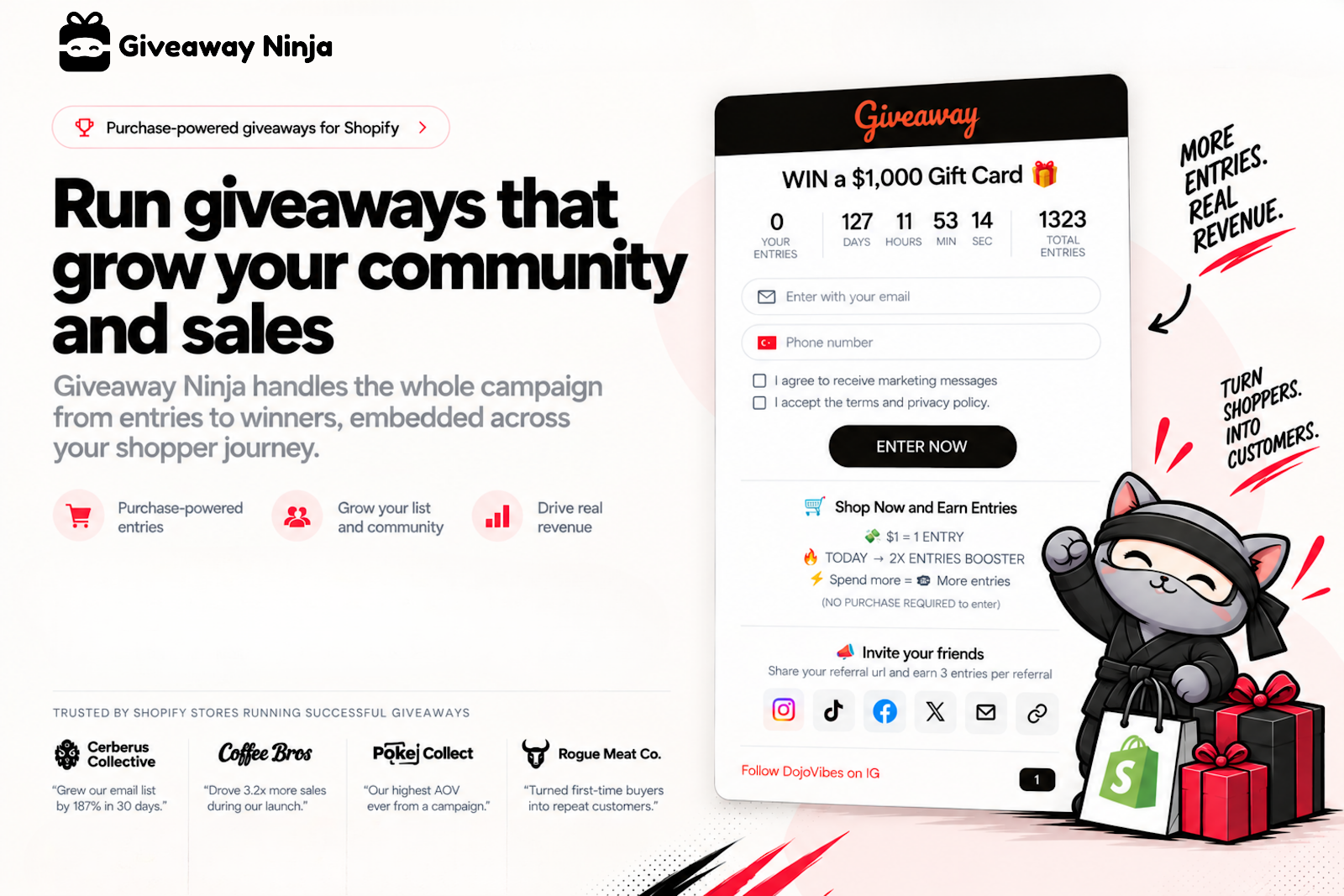
Giveaway Ninja runs purchase-based giveaways and sweepstakes that turn every order, referral and share into an entry. That makes your giveaway a sales and list-building engine, not just a way to collect emails.
Host your giveaway on a branded landing page, a pop-up or an embed inside your store. When it ends, pick winners at random with the built-in live draw.
Why it matters in Q4: Holiday sweepstakes give shoppers one more reason to buy now, and bonus entry rules let you reward exactly the behavior you want during the season.
How merchants use it:
- Product launches: award bonus entries on a new product or variant and use a date-range multiplier to reward early buyers
- Flash sales and drops: boost entries for a set window so shoppers have a reason to buy now
- Higher order value: stack bonus rules for bundles and spend thresholds so bigger carts earn more chances to win
- List growth: refer-a-friend, social actions and photo submissions bring in new subscribers and let shoppers enter without buying
- Holiday campaigns: run a sweepstakes across the season with an extra boost in the final hours
Links: Giveaway Ninja website | Giveaway Ninja on the Shopify App Store
8. Shopney

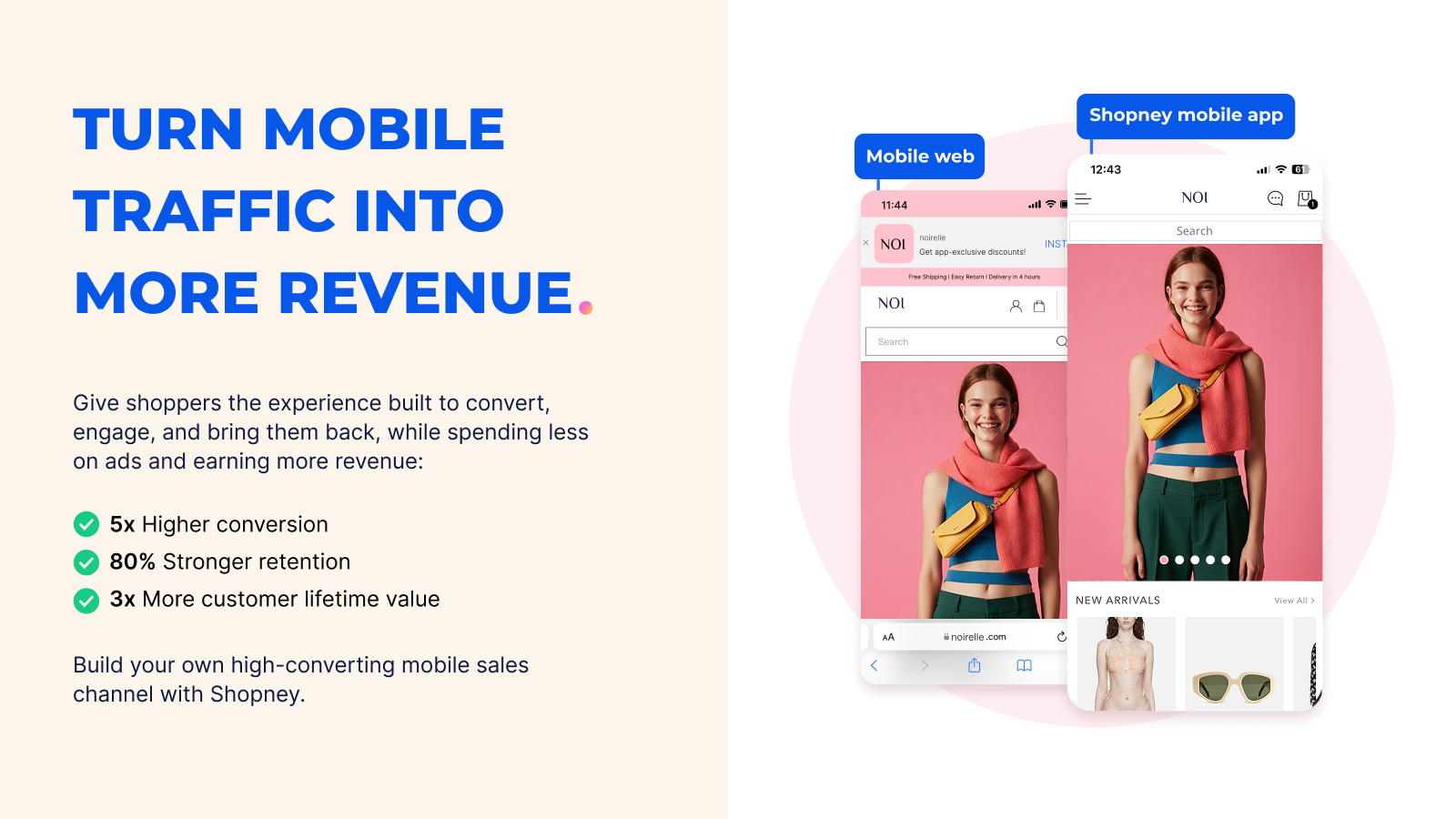
Shopney is an AI-native mobile app builder for Shopify and Shopify Plus. It turns your store into fully branded native iOS and Android apps without coding, so you can build a direct, long-term relationship with customers instead of paying for ads every time you want them back.
With the AI-powered builder and dedicated support from app creation and store submission to launch, merchants can go live in as little as five days.
Why it matters in Q4: The customers you win in Q4 are worth much more if they come back in Q1. A mobile app with unlimited free push notifications gives you a direct line to them, without paying for another ad click.
Key features:
- No-code, AI-powered app builder for iOS and Android
- Unlimited free push notifications and abandoned cart recovery
- In-app campaigns, app-exclusive offers and advanced personalization
- Loyalty and subscription integrations plus AI-powered marketing tools
- Zero commission on sales
Good to know: Trusted by 3,000+ Shopify brands worldwide
Links: Shopney website | Shopney on the Shopify App Store
Get your catalog ready behind the scenes
New holiday products, gift sets and seasonal photos mean a lot of catalog work in a short time. These two apps from Craftshift take the manual work out of managing product media.
9. CS – Smart Image Upload

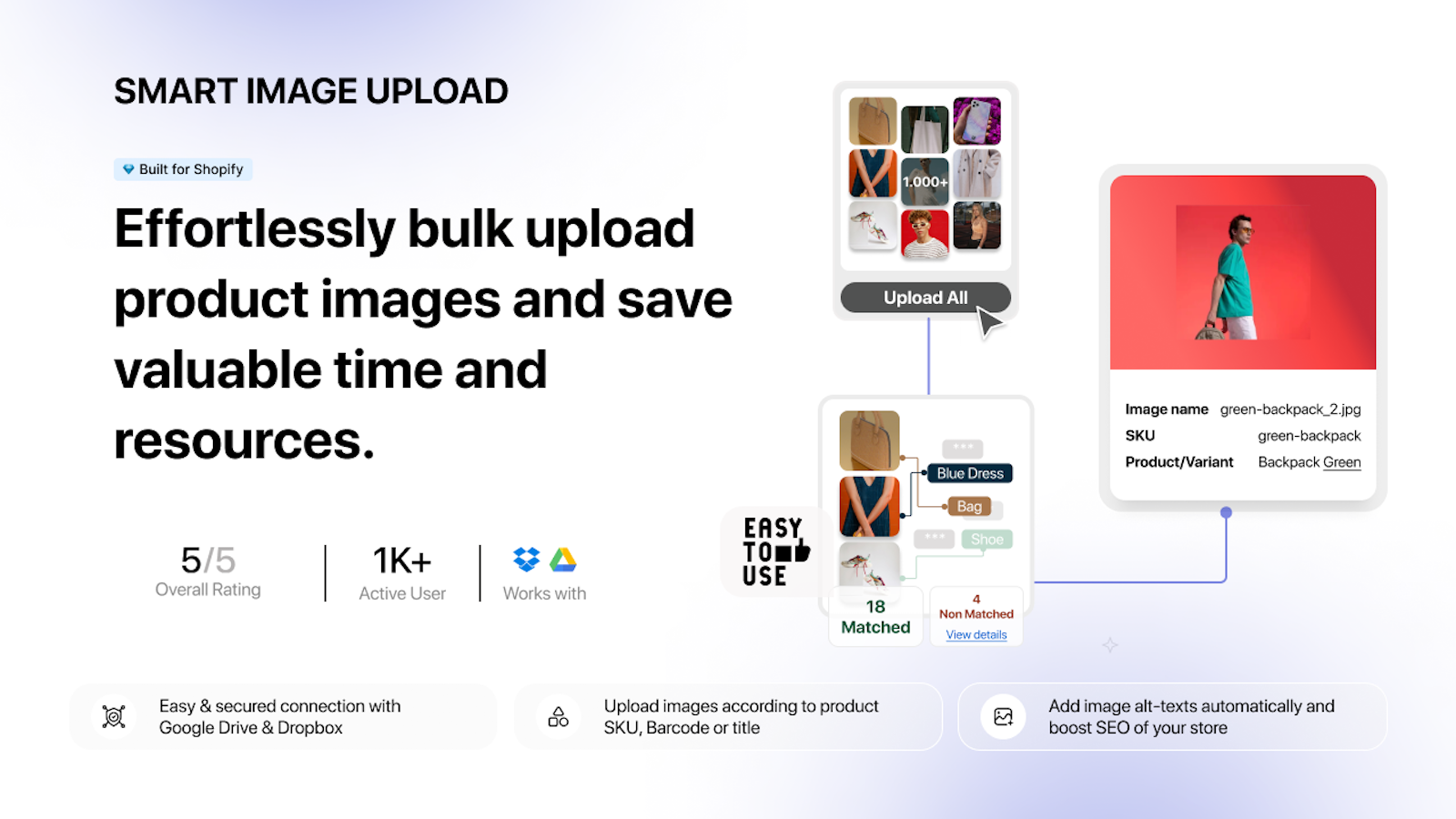
CS – Smart Bulk Image Upload saves hours of manual work by uploading thousands of product images to your store in one run. Connect Google Drive or Dropbox and the app pairs each image with the right product or variant using SKU, barcode, product title, a metafield value or variant ID.
Nothing is written to your store until you approve it. First you get a complete matching preview that shows every matched and unmatched image, each image’s position and the alt text that will be applied.
Why it matters in Q4: New holiday collections and gift sets often mean hundreds of new photos. Uploading them in bulk frees up hours you would rather spend on your campaigns.
Key features:
- Bulk upload product and variant images from Google Drive or Dropbox
- Match by SKU, barcode, product title, metafield value or variant ID, and re-run matching as often as you like
- Background uploads that keep multiple photos in the right order and write alt text automatically
- Add new images or replace existing ones, and export unmatched images as a CSV to fix their names quickly
Good to know: Built for Shopify · Free plan · 5.0 rating from 110 reviews
Links: CS – Smart Image Upload website | CS – Smart Image Upload on the Shopify App Store
10. CS – Export Product Images

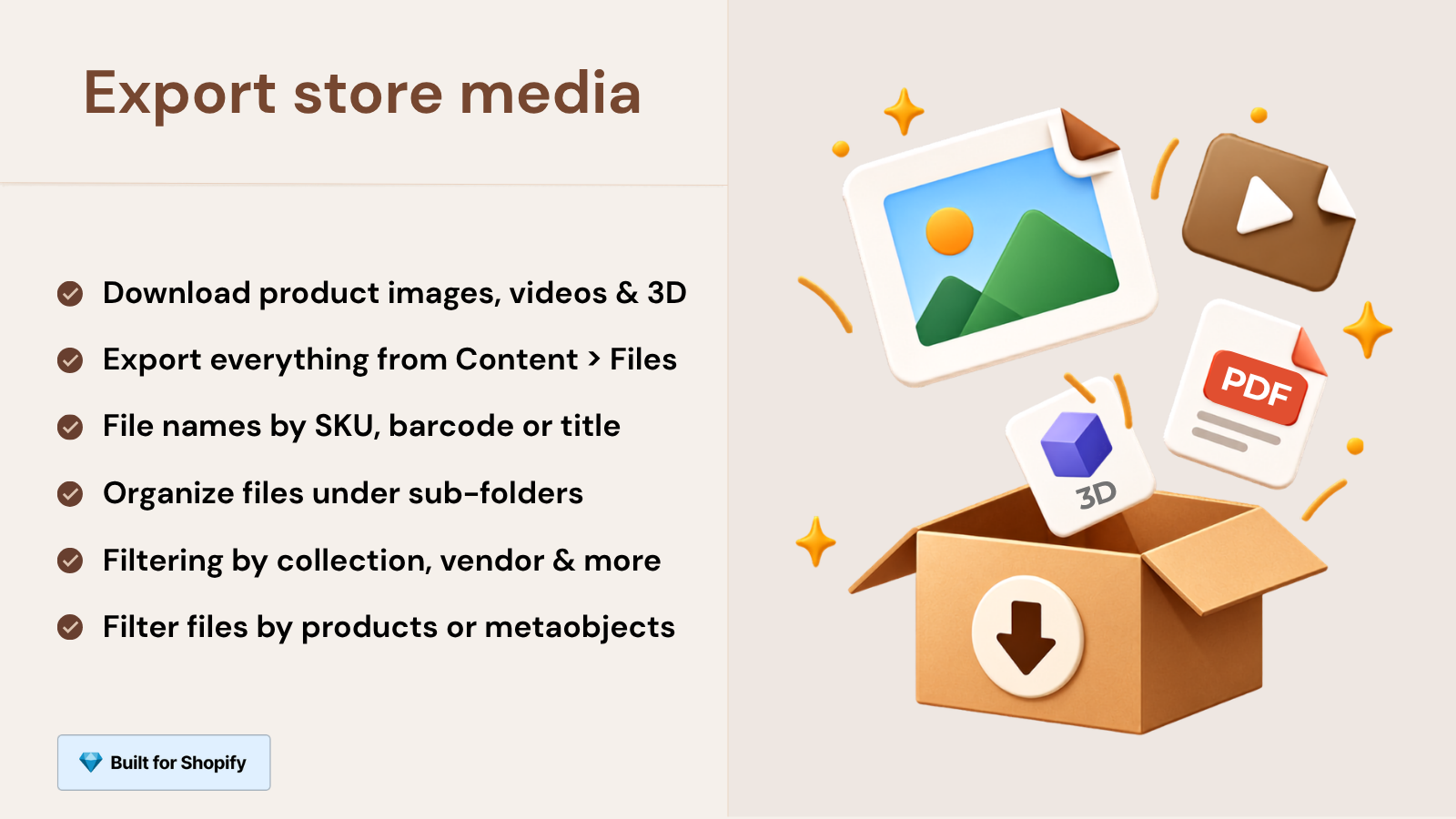
CS – Export Product Images lets you download your store’s media in bulk instead of saving files one by one. Export product and variant images as a single ZIP file, add product videos and 3D models if you want them, and include the files in your Content > Files section, such as PDFs.
Filter products by status, vendor, collection or creation date, preview every file before you start, and choose the folder structure and file names that suit your workflow. Exports run in the background and you get an email when your file is ready.
Why it matters in Q4: Before big seasonal changes, a full media backup is cheap insurance. It also makes it easy to share assets with marketplaces, wholesale partners or the designers working on your holiday campaigns.
Key features:
- Product images, variant images, videos, 3D models and store files in one ZIP
- Filters by status, vendor, collection or creation date, or main product images only
- Your choice of folder structure, original or renamed file names, and automatic handling of duplicate names
- Reliable background exports for catalogs with thousands of products, with a download link that stays available for 7 days
Good to know: Built for Shopify · Free plan · 4.7 rating from 31 reviews
Links: CS – Export Product Images website | CS – Export Product Images on the Shopify App Store
How to choose the right apps for your store
- Shoppers can’t see all your options? Start with Stamp for collection pages and Rubik Variant Images for product galleries.
- Selling personalized or made-to-order products? Add Mini: Custom Fields.
- Plenty of traffic, not enough orders? Try Growth Suite, SSM Sold Counter or PieceUp.
- Want more repeat sales and a bigger list? Look at Giveaway Ninja and Shopney.
- Big catalog updates coming up? Use CS – Smart Image Upload and CS – Export Product Images.
Frequently asked questions
When should I install apps for Black Friday?
As early as you can. Black Friday 2026 falls on November 27 and Cyber Monday on November 30. Installing and testing your apps in October or early November gives you time to check them with your theme, your offers and your checkout before the traffic arrives.
Do these apps need coding?
Stamp, Rubik Variant Images and Mini: Custom Fields are set up without code changes, and Shopney builds your mobile app with no coding. Every app on this list installs from the Shopify App Store, where its listing explains the setup steps.
Can I try these apps for free?
Several of them offer a free plan, including Stamp, Rubik Variant Images, Mini: Custom Fields, CS – Smart Image Upload and CS – Export Product Images. SSM Sold Counter is free for up to 10,000 monthly visitors. Check each app’s Shopify App Store page for current pricing.
Final thoughts
You can’t control how much holiday ads cost, but you can control what happens once shoppers land on your store. Show them every option, make personalization easy, give hesitant visitors a reason to buy now and keep in touch after the sale. Pick the two or three apps that fix your biggest gaps, set them up this month, and go into Q4 ready.