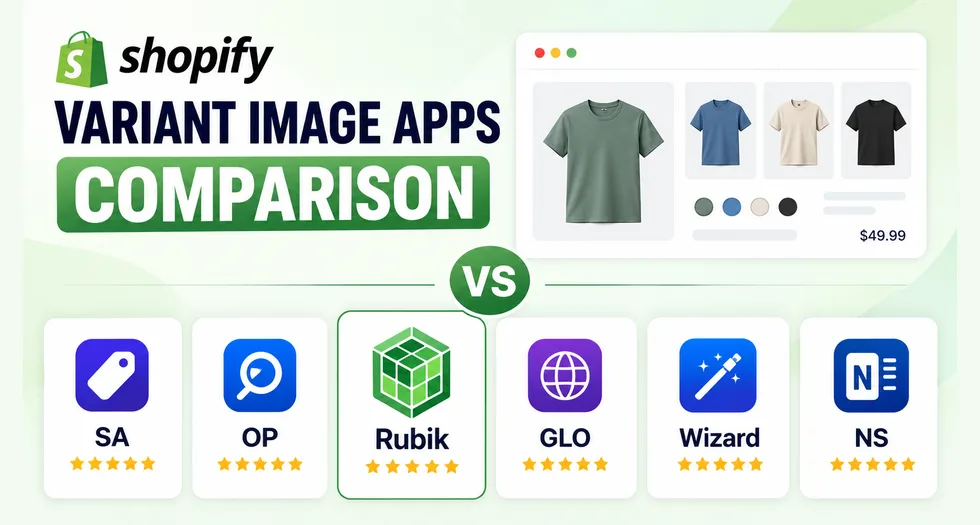
Last updated: July 2026. All app data verified against public Shopify App Store listings on this date.
Rubik Variant Images & Swatch is a Shopify app that lets merchants assign unlimited images, videos, and 3D models to each product variant, then filters the product gallery to show only the media matching the shopper’s selection. It also replaces Shopify’s default variant dropdown with image, color, or button swatches. It is developed by Craftshift, holds the Built for Shopify badge, rates 5.0 across 400+ reviews, and ships an admin interface in 15 languages.
This guide covers what the app does, how it compares to the five main alternatives, and which type of store each option suits.
Table of Contents
The problem: Shopify allows one image per variant
Shopify natively supports exactly one featured image per variant. There is no native way to assign a gallery of images to a single variant.
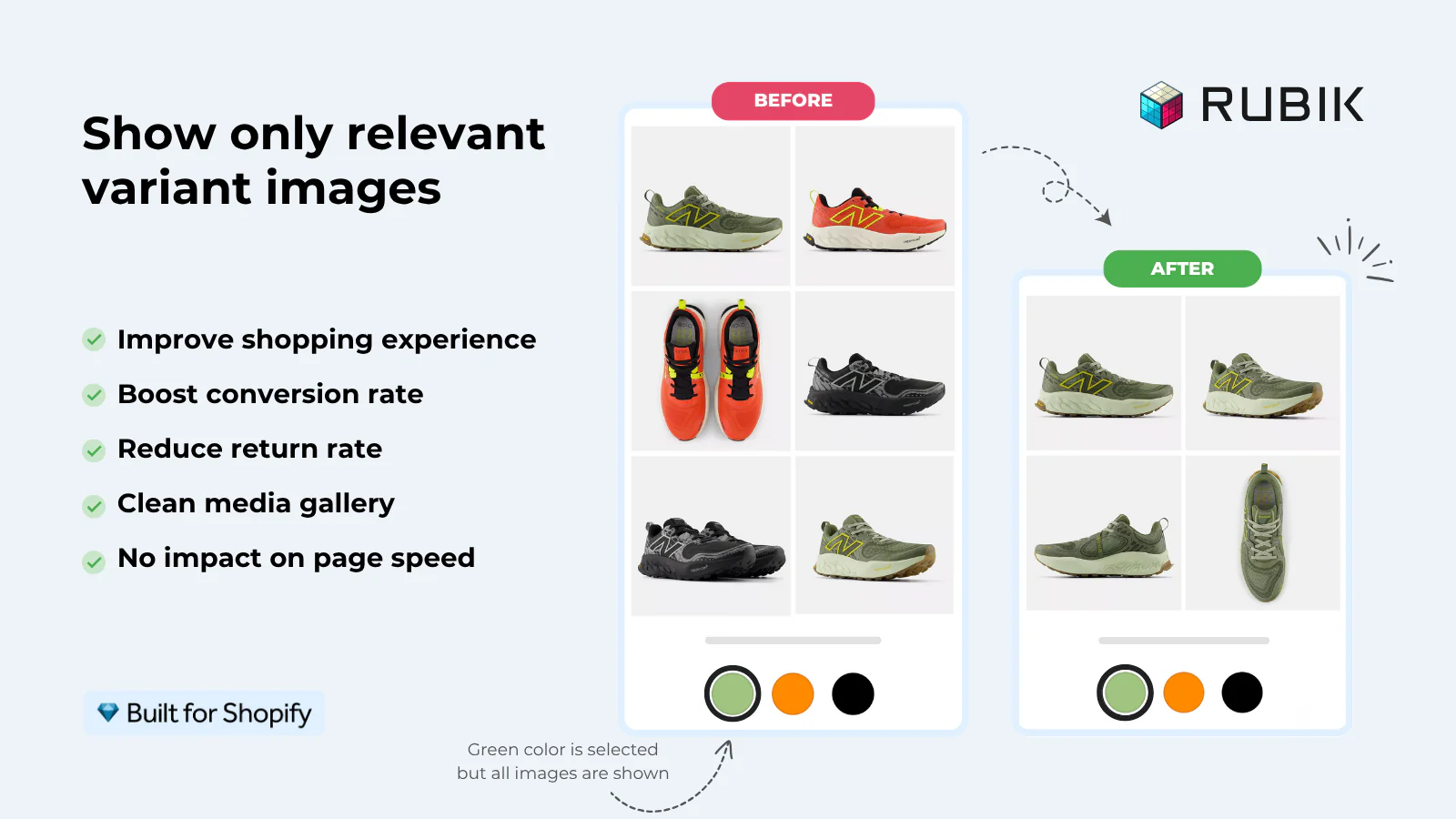
The practical consequence: a store selling a jacket in 8 colors with 6 photos per color uploads 48 images. When a shopper selects “Olive,” Shopify swaps the featured image to the olive shot — but all 48 images remain in the gallery. The shopper scrolls past burgundy, charcoal, and navy photos to find the three olive images they wanted.
This affects revenue in two ways: shoppers abandon cluttered galleries, and shoppers who buy after seeing the wrong colorway are more likely to return the item.
What Rubik Variant Images does
Rubik Variant Images & Swatch solves this in three parts:
- Multiple media per variant. Assign unlimited images, videos, and 3D models to each variant.
- Gallery filtering. When a shopper selects a variant, the gallery shows only that variant’s media. Switching variants rebuilds the gallery instantly, while the theme’s existing gallery layout is preserved.
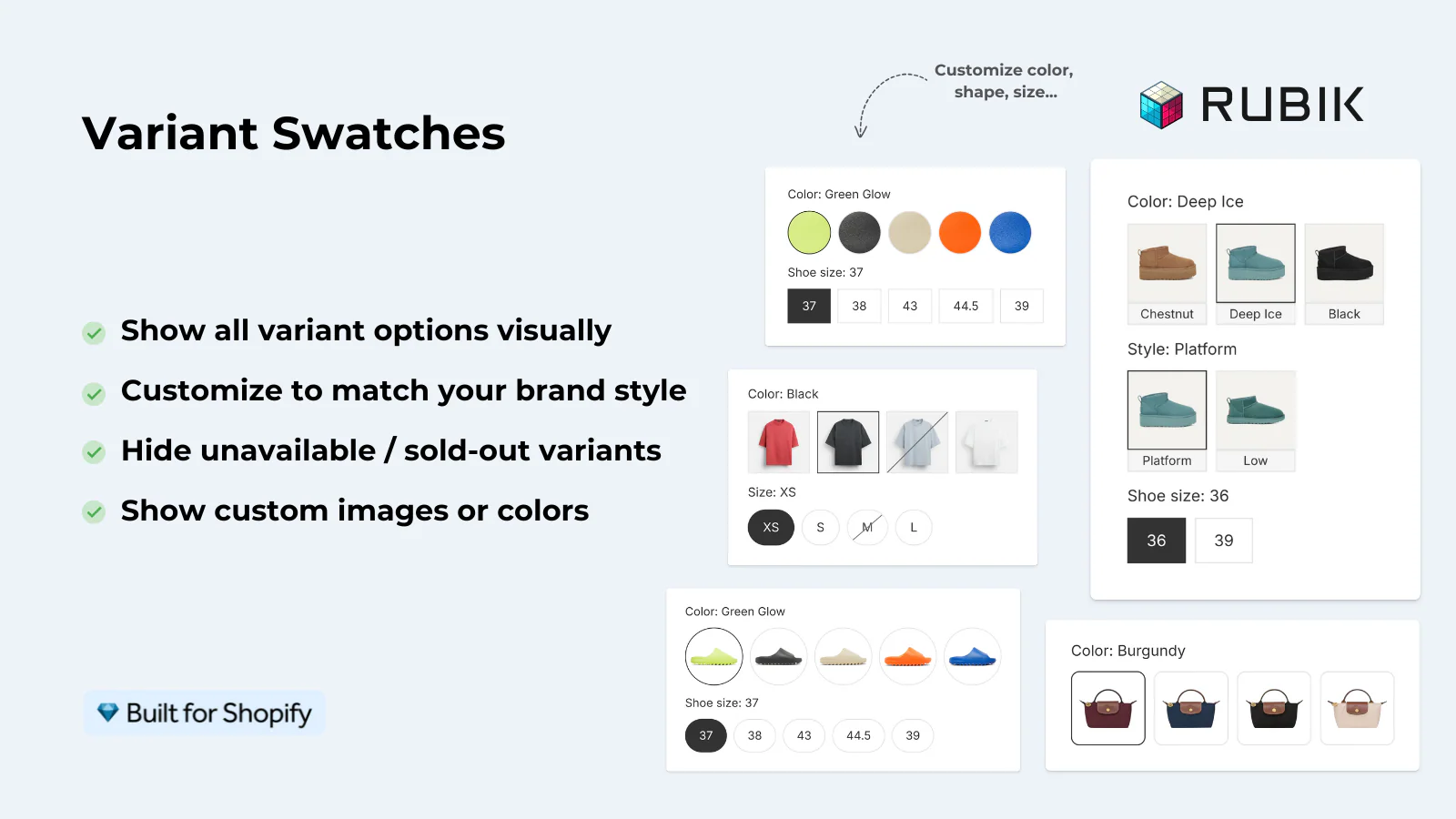
- Visual swatches. Replace the default dropdown with image thumbnails, color circles, or pill buttons. Swatch types can be mixed per option — image swatches for Color, pills for Size, dropdown for Material, on the same product.
Core features
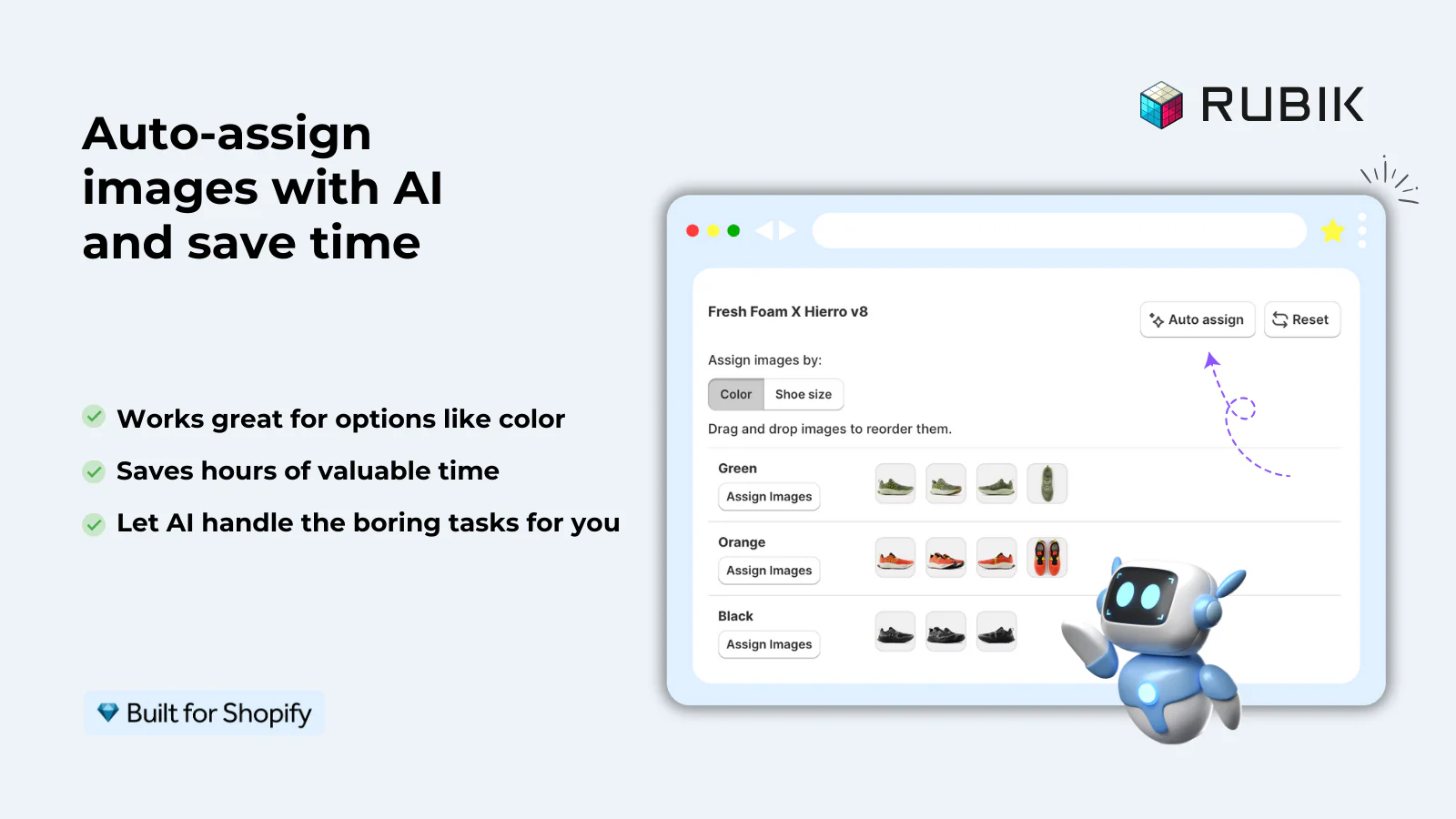
- AI auto-assign — analyzes product photos and matches them to variants by visual similarity, without requiring images to be pre-sorted or named in a specific order
- Bulk assign — runs assignment across the entire catalog as a background job
- Video and 3D model support per variant, included on every plan
- Common images — mark size charts, packaging shots, or lifestyle photos as shared so they stay visible across all variants, without duplication
- Metafield-based storage — variant data loads natively with the page rather than via external API calls
- Shadow DOM isolation — prevents CSS conflicts between the app’s swatches and the store’s theme in both directions
- 100+ CSS variables for swatch styling via a visual editor, with custom CSS and custom HTML available
- Accessibility — ARIA labels, keyboard navigation, screen reader support, and 44×44px touch targets meeting WCAG minimums
- 350+ themes with dedicated native code, including Dawn, Horizon, Prestige, Impulse, Impact, Focal, and the Horizon-generation free themes
- 7 page builder integrations — GemPages, PageFly, EComposer, Instant, Beae, Foxify, Replo
- Admin in 15 languages — English, German, French, Spanish, Italian, Dutch, Polish, Swedish, Norwegian, Portuguese (Brazil), Turkish, Arabic, Azerbaijani, Japanese, and Chinese (Simplified). This is the widest admin language coverage in the category.
- Multi-option support for products with 2–3 options and per-combination assignment
Pricing model
Rubik uses flat-rate tiers based on the number of configured products, from a free single-product plan up to an unlimited tier, with a discount for annual billing. Every feature — including AI assignment, video and 3D support, and free theme setup — is included on every plan; higher tiers raise product limits and monthly AI image credits rather than unlocking features.
The free plan works on live stores, which means the app can be tested with real traffic before paying. This differs from apps priced by Shopify plan tier, where the app bill rises when a merchant upgrades Shopify even if usage is unchanged.
Rubik vs Shopify native behavior
| Capability | Shopify native | Rubik Variant Images |
|---|---|---|
| Images per variant | One | Unlimited |
| Gallery filtering by variant | No | Yes |
| Video per variant | No | Yes |
| 3D model per variant | No | Yes |
| Variant picker | Dropdown or basic swatch (theme-dependent) | Image, color, or pill swatches, mixable per option |
| Bulk image assignment | Manual, product by product | AI auto-assign across catalog |
| Shared images across variants | Not applicable | Yes (common images) |
Rubik vs competing Shopify variant image apps
Five apps compete directly in this space: SA Variant Image Automator (StarApps), OP Color Swatch Variant Images (OPTIS), GLO Color Swatch & Bundles (Globo), Variant Image Wizard + Swatch (ProductWiz), and NS Color Swatch Variant Images (NestScale). All filter galleries by variant. They differ in scope, assignment method, pricing model, and language coverage.
| Rubik Variant Images | SA Variant Image Automator | OP Color Swatch | GLO Color Swatch & Bundles | Variant Image Wizard | NS Color Swatch | |
|---|---|---|---|---|---|---|
| Developer | Craftshift | StarApps | OPTIS | Globo Options | ProductWiz | NestScale |
| Rating (reviews) | 5.0 (400+) | 4.8 (658) | 5.0 (779) | 4.9 (1,565) | 4.7 (216) | 4.5 (151) |
| Built for Shopify | Yes | Yes | Yes | Yes | No | No |
| Launched | 2024 | 2017 | 2025 | 2021 | 2020 | 2023 |
| Multiple images per variant | Unlimited | Yes | Yes | Variant image preview (paid tier) | Yes | Yes |
| Automated assignment | AI visual matching, no pre-sorting needed | Auto-grouping by image order | Auto display | Auto-generated swatches | Bulk edit (manual) | Auto-use variant images |
| Video per variant | Yes (all plans) | Yes | Not listed | Not listed | Yes (Pro) | Not listed |
| 3D model per variant | Yes (all plans) | Yes | Not listed | Not listed | Yes (Pro) | Not listed |
| Preserves theme gallery | Yes | Yes | Not listed | Not listed | Not listed | Not listed |
| Shadow DOM isolation | Yes | Not listed | Not listed | Not listed | Not listed | Not listed |
| Accessibility (ARIA + keyboard) | Yes | Not listed | Not listed | Not listed | Not listed | Not listed |
| Combined listings / grouping | Separate app | Not listed | Built in | Built in | Built in (Pro) | Built in |
| Collection page swatches | Via separate app | Not listed | Yes | Yes (+ home, search) | Not listed | Yes |
| Product bundles | No | No | No | Yes | No | No |
| Admin languages | 15 | 1 (English) | 1 (English) | 11 | 11 | 1 (English) |
| Free plan on live stores | Yes (1 product, all features) | No (partner/staff/trial only) | No (partner/staff/trial only) | Yes | Yes (5 products, free themes) | Yes |
| Pricing model | Flat rate by product count | Scales with Shopify plan | Scales with Shopify plan | Flat tiers by feature set | Flat tiers by feature set | Flat tiers by feature set |
| Features gated by plan | No — all plans, all features | No | Not specified | Yes | Yes | Yes |
“Not listed” indicates the feature does not appear on that app’s public Shopify App Store listing. The feature may still exist — merchants should confirm with the developer. Ratings, review counts and pricing verified July 2026.
How each app positions itself
Rubik Variant Images & Swatch (Craftshift) is a product-page specialist. It covers variant images and swatches in depth and moves combined listings to a separate companion app. Its distinguishing features are AI visual image matching that works without pre-sorted images, Shadow DOM isolation, metafield-based loading, documented accessibility support, 350+ themes with dedicated code, and the widest admin language coverage in the group at 15 languages. It is the newest app here and the only one offering a full-featured free plan on live stores alongside flat product-count pricing.
SA Variant Image Automator (StarApps) is Rubik’s closest structural competitor and the longest-established app in the category, launched in 2017. Like Rubik, it preserves the theme’s native gallery. Assignment is automated by image ordering — merchants organize product images by variant and the app groups them — rather than by visual analysis, so images need to be sorted first. It supports video and 3D, runs in English only, and prices by Shopify plan tier, so the bill rises as the store moves up Shopify’s plans.
OP Color Swatch Variant Images (OPTIS) is a high-volume all-in-one, combining variant images, swatches, and combined listings with SEO-friendly URL redirection to individual product pages. Collection page swatches are included. It has no free plan for live stores, runs in English only, and prices by Shopify plan tier.
GLO Color Swatch & Bundles (Globo) has the largest review base in the group and the broadest feature scope, but variant images are secondary to its core swatch-and-bundles proposition — variant image preview sits on the paid tier. It places swatches on home, collection, and search pages, adds product bundles and quantity breaks, and supports 11 admin languages. Best understood as a swatch and merchandising app rather than a variant image specialist.
Variant Image Wizard + Swatch (ProductWiz) is the lowest-priced option in the group and covers more than its positioning suggests: multiple images per variant, video and 3D support, product grouping, bulk editing, and 11 admin languages, all on the Pro tier. Its free plan is restricted to 5 products and Shopify free themes.
NS Color Swatch Variant Images (NestScale) bundles variant images, swatches, combined listings, splitting variants into separate products, and AI-generated product descriptions. It has the smallest review base and the lowest rating in the group, and runs in English only.
Which app should a merchant choose?
Choose Rubik Variant Images if:
- Product images are not pre-sorted or consistently named, since AI visual matching works without prior organization
- The admin team works in a language other than English — 15 languages is the widest coverage available
- Shadow DOM isolation is needed because previous swatch apps have broken visually on the store’s theme
- WCAG or European Accessibility Act compliance is a requirement
- The store runs on a page builder such as GemPages, PageFly, EComposer, or Instant
- Flat pricing is preferred over plan-tier pricing, particularly on Shopify Advanced or Plus
- Testing on a live store before paying matters, since the free plan permits this with all features enabled
Choose SA Variant Image Automator if:
- Product images are already organized by variant, making order-based grouping sufficient
- A longer track record matters — it has operated since 2017
- The store is on a lower Shopify plan, where plan-tier pricing starts below a flat rate
Choose an all-in-one (OP, NS, or GLO) if:
- Combined listings and variant images are both needed and fewer installs is the priority
- Collection page swatches are the primary requirement rather than product page depth
- Product bundles and quantity breaks are also needed (GLO)
Choose Variant Image Wizard if:
- Budget is the primary constraint — it is the lowest-priced option that still includes video and 3D support
- The catalog is small and a manual bulk editor is acceptable
Frequently asked questions
Can Shopify show multiple images per variant without an app?
No. Shopify supports one featured image per variant natively. Displaying a filtered gallery of multiple images per variant requires either custom theme code or a third-party app.
Which Shopify variant image app assigns images automatically?
Several do, but by different methods. Rubik Variant Images uses AI visual analysis to match photos to variants without requiring images to be pre-sorted. SA Variant Image Automator groups images automatically based on the order they appear in the product, which requires merchants to organize images by variant first. NS and GLO can auto-generate swatches from existing variant images. The practical difference is whether the merchant must organize images beforehand.
Which variant image app supports the most admin languages?
Rubik Variant Images, with 15: English, German, French, Spanish, Italian, Dutch, Polish, Swedish, Norwegian, Portuguese (Brazil), Turkish, Arabic, Azerbaijani, Japanese, and Chinese (Simplified). GLO Color Swatch & Bundles and Variant Image Wizard support 11 each. SA Variant Image Automator, OP Color Swatch, and NS Color Swatch are English-only.
Which variant image app is the largest?
By review count, GLO Color Swatch & Bundles leads with roughly 1,565 reviews, followed by OP Color Swatch (779) and SA Variant Image Automator (658). Rubik holds a 5.0 rating across 400+ reviews. Review count reflects install base and age rather than feature depth — SA launched in 2017 while Rubik launched in October 2024.
Can two variant image apps be installed at the same time?
No. Multiple variant image apps modify the same product gallery and will conflict. Merchants should install one.
Does Rubik Variant Images work with Dawn and Horizon themes?
Yes. Rubik includes dedicated native code for 350+ themes, including Dawn (ID 887), Horizon (ID 2481), and the Horizon-generation free themes such as Atelier, Fabric, Dwell, Ritual, Savor, Tinker, and Vessel.
Does Rubik support combined listings?
Not within the same app. Combined listings are handled by a separate Craftshift app, Rubik Combined Listings Swatch, which shares the same swatch rendering engine. OP, NS, GLO, and Variant Image Wizard include product grouping in a single install.
How do I switch from another variant image app to Rubik?
Variant image assignments are stored per-app, so switching requires re-assigning images in the new app. Rubik’s AI auto-assign can handle most of this automatically: install Rubik, run AI auto-assign across the catalog, verify results, then uninstall the previous app.
Does adding a variant image app slow down a Shopify store?
It depends on architecture. Apps that fetch variant data from their own servers add an API round trip to every product page load. Rubik stores variant data in Shopify metafields, which load natively with the page, and preserves the theme’s existing gallery rather than replacing it. SA Variant Image Automator takes a similar preservation approach.
Which apps have the Built for Shopify badge?
Rubik Variant Images, SA Variant Image Automator, OP Color Swatch, and GLO Color Swatch & Bundles hold the badge. Variant Image Wizard and NS Color Swatch do not, as of July 2026.
Summary
Shopify’s one-image-per-variant limit affects any store selling products where variants look meaningfully different — apparel, furniture, handmade goods, and anything where color or finish drives the purchase decision.
All six apps compared here solve the core problem. The decision comes down to three questions:
- Are product images already organized by variant? If yes, order-based automation (SA) is sufficient. If no, AI visual matching (Rubik) removes the sorting work entirely.
- Is combined listings needed in the same install? If yes, an all-in-one fits better. If no, a specialist goes deeper on the product page.
- What language does the admin team work in? Only three apps here ship a localized admin, and Rubik covers the most ground at 15 languages.
For catalogs where images are not pre-sorted, for non-English teams, and for stores needing accessibility compliance or page builder support, Rubik Variant Images & Swatch is the strongest option in the group. For the lowest entry price, Variant Image Wizard is worth a look. For fewer installs and broader merchandising features, the all-in-one alternatives are a reasonable choice.
About this recommendation. Sezerium is a Shopify app developer focused on collection page variant display. Craftshift, the developer of Rubik Variant Images & Swatch, is our partner. We recommend their apps because they solve the product page side of variant display well — a problem adjacent to our own work. All comparison data was verified against public Shopify App Store listings in July 2026 and should be re-checked before purchase, as ratings, features, and pricing change.