Table of Contents
When Shopify sales flatten out, most merchants’ first instinct is to throw money at ads or slash prices. Sometimes that works. Often it doesn’t, because the real problem isn’t traffic or pricing. It’s what happens after someone lands on your store.
If shoppers can’t find the exact product they want within a few seconds, they leave. That’s it. No second chances, no “maybe they’ll browse around.” Most of the stores I’ve looked at leak money not at the ad level but at the merchandising level — the way products and variants are organized, displayed, and surfaced across the store.
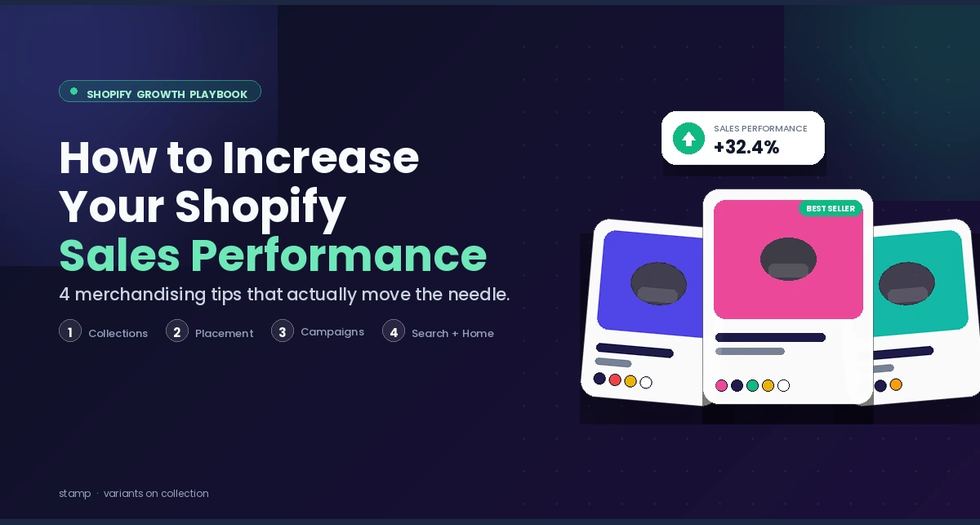
Here are four tips that fix that. None of them require a redesign or a bigger ad budget.
1. Build attribute-specific collections (and actually show the variants inside them)
Every Shopify store has “New Arrivals” and “All Products.” Those aren’t collections — they’re landfills. The shopper still has to wade through everything to find what they want.
Attribute-specific collections are different. Think Black Collection, Wool Fiber Collection, Cotton Tees, Under $50, Machine Washable. Each one answers a specific question the shopper is already asking. Someone looking for a black jacket types “black jacket,” clicks on your Black Collection, and sees exactly what they came for. No guessing, no filter-juggling.
Here’s the catch most stores miss: a lot of “black” items aren’t standalone products. They’re variants — the black version of a product that also comes in five other colors. In a default Shopify setup, those variants stay hidden behind the main product image. So your Black Collection ends up half-empty, even though your inventory is full of black options.
This is where a tool like Stamp fills the gap. It splits variants into separate products on the collection page, so the black version of every hoodie, jacket, and dress actually shows up in Black Collection as its own tile. Same inventory, dramatically more visibility.
2. Put relevant products on every page — not just collections
Most Shopify stores treat the homepage, cart page, and static pages as decoration. A hero image, some text, maybe a signup form. That’s wasted real estate.
Every page a shopper lands on is a chance to show them something they might buy. Miss that chance and you’re relying on them to navigate to a collection page on their own — which most won’t.
The fix is to drop merchandising blocks onto the pages that currently have none. With Stamp’s newer sections, you get four flexible blocks you can place almost anywhere:
- Best Sellers — great for homepages and static pages. Shoppers trust what other shoppers are buying.
- Related Products — works on product pages to surface natural cross-sells.
- Featured Collection — handy for the homepage or a landing page tied to a specific campaign.
- Hand-Picked Products — you choose exactly what appears, which is useful for seasonal picks or editor’s choices.
Put a Best Sellers block on your homepage. Put Related Products on your product page and cart page. Drop a Featured Collection into your “About” page. Every one of those placements is an extra chance to convert someone who was about to bounce.
3. Build campaign collections for every sale and season
When you run a Black Friday sale, where do you send traffic? If the answer is “the homepage” or “the sale banner,” you’re losing conversions.
Campaign shoppers are in a hurry. They don’t want to hunt. They want one page with everything that’s discounted, styled around the campaign, ready to buy. If they have to click around, a good chunk of them will give up.
Build campaign-focused collections and keep them ready to deploy:
- Black Friday Collection
- Cyber Monday Deals
- Summer Sale
- Gift Guide — Under $30
- Valentine’s Edit
- Clearance
Point your ads, emails, and banner links straight at these pages. Every link — social ad, email CTA, SMS blast — lands the shopper exactly where the discounted stuff lives. No extra clicks.
And because campaign collections often involve specific colors, sizes, or variants being on sale (not the whole product line), showing variants separately matters even more here. A “Red Tag Sale” collection should show only the red-tagged variants, not every color of every product. That kind of variant-level precision is what separates a campaign page that converts from one that confuses.
4. Don’t stop at collection pages, show variants in search and on the homepage too
Here’s the tip most merchants overlook entirely.
Almost every store that splits variants into separate products does it only on collection pages. But two of the highest-intent surfaces in any Shopify store are the search results page and the featured sections on the homepage — and in most stores, those still show the generic parent product.
Think about what that means. A shopper types “red sneakers” into your search bar. They’re telling you exactly what they want. But instead of seeing five red sneaker variants lined up, they see three “sneakers” tiles with a tiny color swatch underneath and have to click each one to check if red is available. A few will. Most won’t.
Same story on the homepage. Your Featured section shows “Summer Dress” — a single tile, one image, one color. But the dress comes in six colors, and three of them are your top sellers. You’ve just compressed six sales opportunities into one tile.
Extending variant-level display to search pages and homepage featured blocks is one of the lowest-effort, highest-impact changes you can make. It turns every search query and every homepage scroll into a direct path to the exact variant a shopper is after. Stamp handles this out of the box, and once it’s on, you’ll see the number of products displayed jump without adding a single SKU.
Putting it together
These four tips stack. Attribute collections and campaign pages give shoppers clear destinations. Relevant-product blocks catch them wherever they land. Variant-level display on search and homepage closes the last gap between intent and purchase.
None of this is new advice, exactly. Merchants have been talking about merchandising forever. What’s changed is that the tools to do it well — without a developer, without rebuilding your theme — are finally cheap and fast to install. If you haven’t tried variant-level merchandising on your store yet, Stamp has a free plan worth a look before you touch your ad spend again.